WHEN EVERY NEW LENDER
BROKE THE UI
A Loan Management System (LMS) builder that reduced lender integration time from months to weeks by shifting focus from "code" to "config".
Faster Go-to-market
Reduction in Dev effort
UI Code for 90% New Lenders
The Context
Finbox partners with dozens of lenders, and every lender has a distinct onboarding DNA. One needs bank statements; another requires salary verification; a third mandates e-sign before KYC.
Adding a new lender meant engineers manually dragging fields into a Figma-like void and deploying code. Every new partner broke the UI equilibrium, leading to massive tech debt and slow rollout cycles.
The Solution: LMS Builder
We built a modular, block-based system that allows product teams to configure entire loan journeys without touching React.
Shifting the needle from "Ticket → Design → Code → QA → Deploy" to a single "Configure → Preview → Live" cycle.
A Four-Module Ecosystem
A modular, low-code platform that eliminates manual development. Click any module to dive into its design decisions.
User Action (UI Builder)
↓
Permission Check (Policy Builder)
↓
Task Assignment (Task Management)
↓
Workflow Progression (Workflow Builder)
Inside the UI Builder
The UI Builder follows a strict hierarchy that mirrors how lenders think about their loan journeys. Every level nests inside the one above it.
CORE ONBOARDING
ENGINE
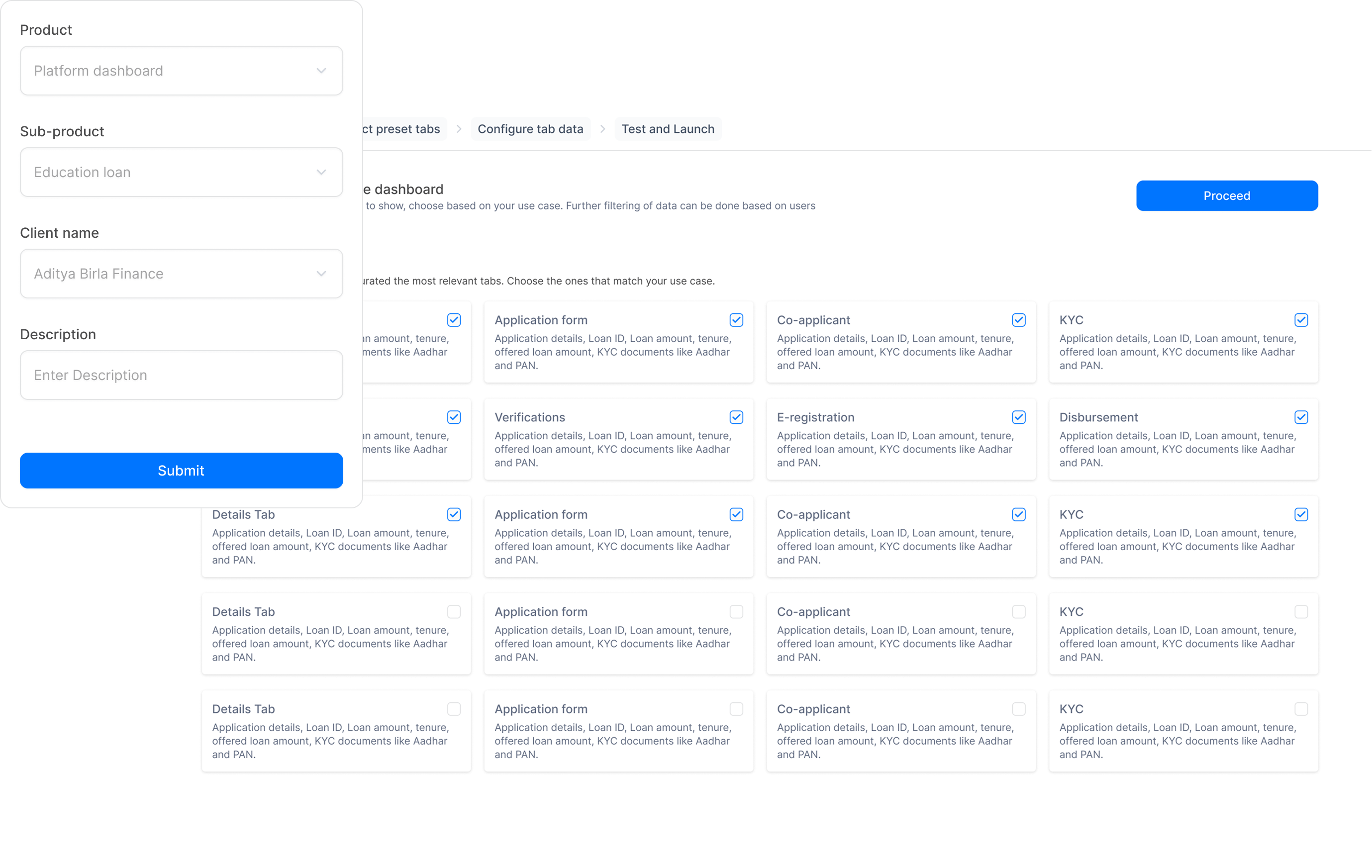
Tailored tab structure according to your loan profile
Before you land in the builder, you choose a loan profile: Education loan, Business loan, Personal loan, Loan against property, Auto loan.
Based on that choice, the builder surfaces preset tab suggestions — for a business loan: "Loan Details", "Co-applicant & KYC", "Verification", "Financials". For an education loan: "Applicant Details", "Co-applicant", "KYC", "Fee Structure". You can accept, reorder, or add/remove tabs — so lenders never truly start from scratch, but they're never boxed in either.
- Block-based design
- Standardized inputs
- Dynamic flow logic
THE BUILDER
CANVAS
Visual drag-and-drop journey management.
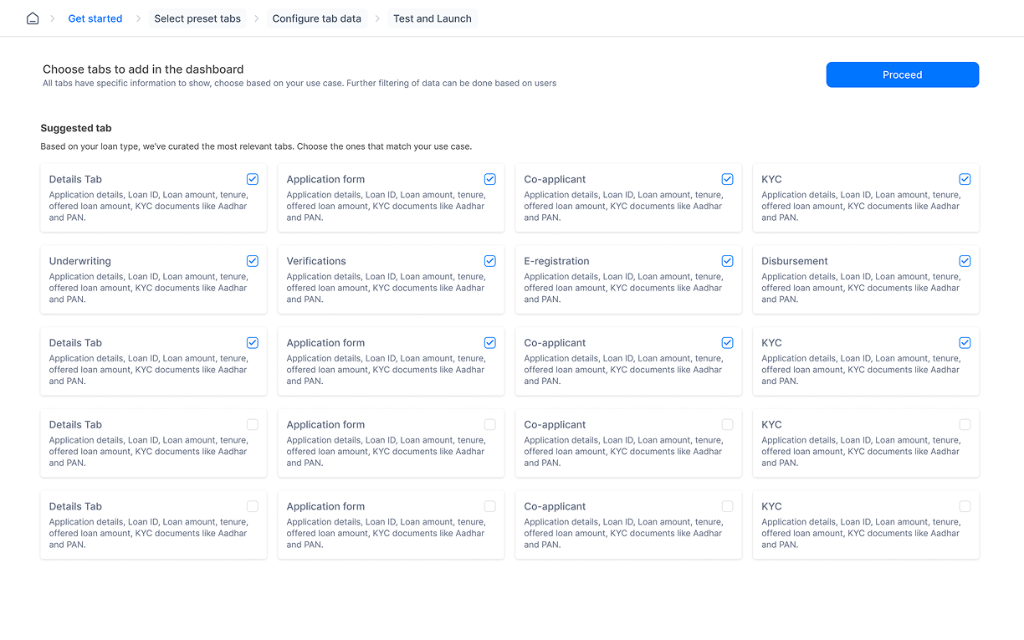
Problem: Every operations team had a different mental model of "what should come first": details, risk, KYC, or documents. The previous setup required devs to re-order tabs and manually enable/disable them per lender.
Design move: Tabs are first-class objects. Ops can drag to reorder them ("KYC before Verification", "Co-applicant after Application Forms"). Product managers can visualize the entire lender journey, reorder steps, add branching conditions, and preview changes in real time.
- Visual journey mapping
- Live state preview
- Drag-and-drop reordering
MODULAR PROP
MANAGEMENT
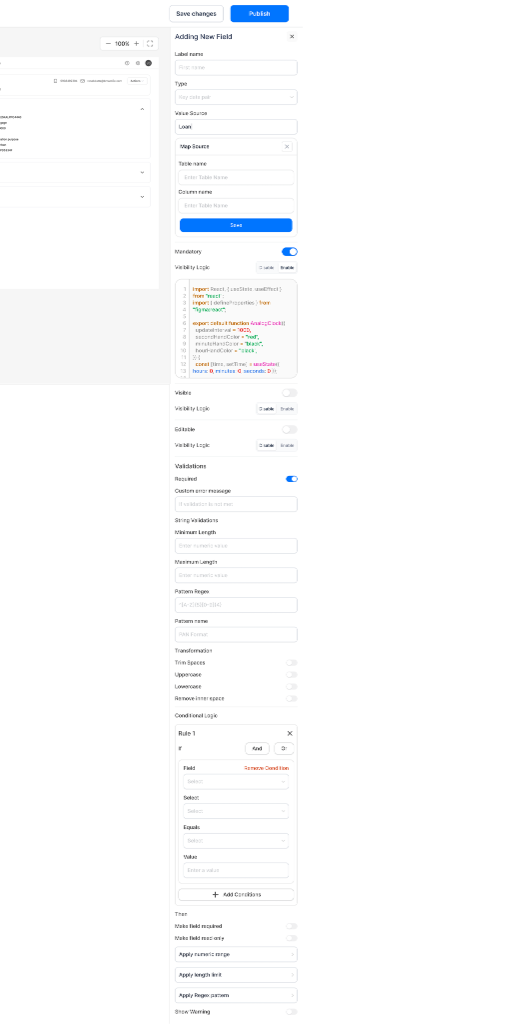
Contextual property control at block level.
Every block comes with a suite of configurable properties. Toggles, dropdowns, and text fields are linked directly to JSON keys, instantly updating the UI across all platforms.
- Contextual properties
- Rule-based visibility
- Custom Validations
FIELD MAPPING
& ACCESS CONTROL
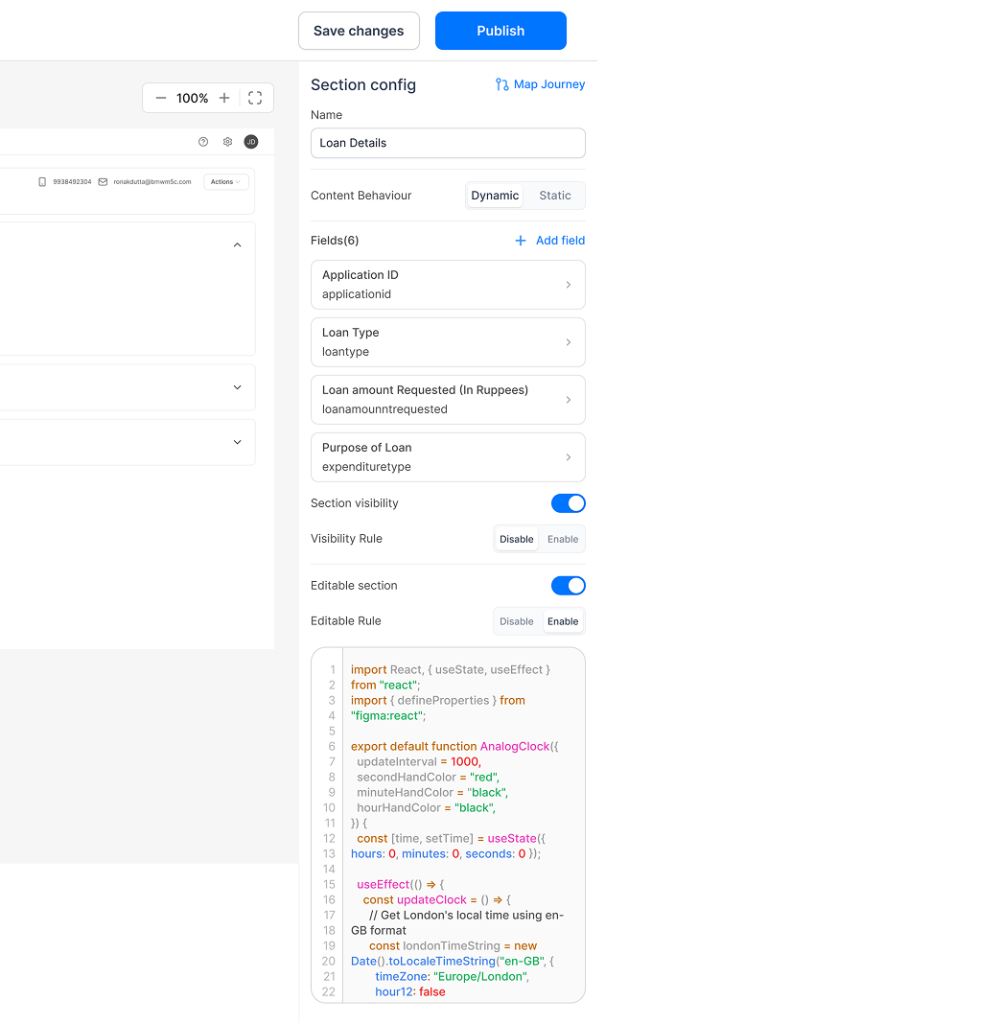
Every field is a data contract — mapped, permissioned, and purpose-driven.
Every field added in the UI Builder is directly mapped to a column in the database. Where a field lives — which section, which tab, which loan type — determines how the data is stored, validated, and retrieved. Moving a field across sections isn't just a visual change; it rewires the underlying storage logic.
Different roles (ops managers, credit analysts, field agents) have different levels of access. The builder surfaces all of this — role-based read/write/hide permissions are configured per field, so the same form can behave differently depending on who's logged in.
- DB-mapped field storage
- Role-based permissions
- Context-aware validation
- Per-field visibility control
ZERO NEW CODE.
NEW LENDER LIVE.
The four modules aren't parallel tools — they're a stack. Policy Builder defines who exists as a role and what they can see or act on. Task Builder defines what the work looks like and assembles it into reusable event bundles. Workflow Builder is the layer that actually uses both: a workflow's query gate references a Policy Builder role group; its transition can fire a Task Builder event bundle.
Going live with a new lender becomes a three-step operation: lock down the policy matrix, assemble the task events, wire the workflow graph. No tickets to engineering. No deployment window. No UI code.
Policy Builder → defines roles + access rules
↓
Task Builder → assembles work into event bundles
↓
Workflow Builder → wires roles + tasks into lifecycle logic
↓
UI Builder → surfaces the right form to the right person at the right stage
↓
New lender live. Zero new code.
WHAT CHANGED?
Reduction in Dev cycles for new partner onboarding. Engineering effort shifted from "building" to "maintaining the builder".
Estimated developer hours saved annually across 50+ lender integrations. This significantly reduced operational overhead.
Capacity increase. Finbox can now onboard partners at scale without a linear increase in engineering recruitment.